EN
EN

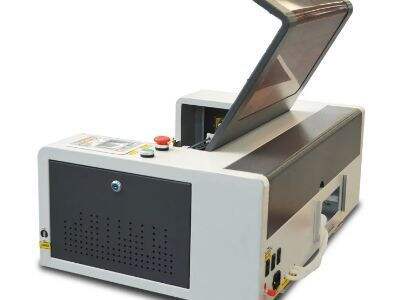
Calibration of your laser cutter and engraver makes a lot of sense, if you want be able to do precision work. When we refer to “calibrating,” we are referring to ensuring the machine is properly configured in order to cut and engrave the way it should. Voiern knows how important this is to anyone who uses a laser cutter. It doesn’t matter if you’re brand new to a liquid gold maker or have been using one for years – knowing how to calibrate your machine can be an absolute game changer in the quality of what comes out. So, here are some best practices and common issues you may encounter as you try to adjust your laser cutter just so
What is the general method to adjust/calibrate a laser cutter
If you want to get the most out of your laser cutter, there are a few best practices that you should adhere to. And always, first go over the lenses and mirrors before you start your work. Dust and grime can mess with how the laser works. Dial it with a soft rag and a dab of cleaning solution to keep everything clear. Then, align the laser. You just want to ensure that the light is going right through the center of the lens. And if it’s off, your cuts won’t be square. You can accomplish this by focusing the laser onto a piece of scrap material and marking where it hits. If it’s not, you may need to move the mirrors around a bit
Another useful thing is to apply the correct speed and power settings based on which material you use. Each material requires different settings to cut or engrave in the appropriate way. For example, wood generally requires more power than plastic. Voiern recommends making a cheat sheet of these settings for various materials that you can pull out and reference. And remember to always make a test cut before you start your main project. That way you can test to make sure everything is going great without wasting a single bit of material
It also takes the right software. Verify that your design software is compatible with your laser cutter. It will help to make sure your designs turn out the same on the machine, as you see them on your screen
Lastly, keep your workspace organized. A cluttered work area is a recipe for mistakes, and you’ll need to concentrate. All in one place makes you work more efficiently. By applying these tips and tricks, the accuracy of cutting and engraving with Voiern machines can be greatly improved
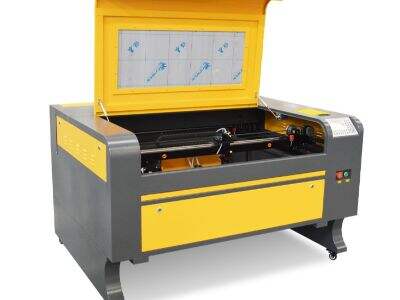
There are several common calibration problems and troubleshooting tips that can help
So you've followed all the best practices and still, you have a few typical problems that come up during calibration. One of the most common issues is that the cuts are not deep enough. This is likely due to being powered too low. If you can tell that your cuts are shallow, double check the power setting. Turn up the power and try cutting them again. Still not working, clean the lens and make sure the beam is aligned
Another possibility is that the laser is cutting evenly. Other times one side of the cut might be deeper than the other. This can be frustrating. The first thing to do is verify that the laser’s focus. Uneven cuts can result if it is out of focus. Focus as described by the manufacturer and repeat
Always take a look at the quality of your cuts, if they are not as crisp as you would like then check that speed setting, it may simply be a little too high. Slowing down to go fast can actually also assist the laser to cut cleaner. Also, don’t forget your fabric is flat and secure. If the material moves during cutting, errors can occur. Hold everything together with clamps or weights
Finally, if the machine is behaving oddly or isn’t responding properly to commands, it could be a software issue. Try re-booting your computer and the laser cutter to check if there is any software update. And sometimes the simplest solution is to try turning things off and back on again
Knowing these usual calibration problems and having a solution for them will make your life better with Voiern laser cutter. And of course practice makes perfect and over time you will get better at being able to set up your machine for accurate work
Tweaking the Calibrating Your Settings for Accuracy with a Laser Cutter
As well, when dealing with a laser cutter such as those on sale at Voiern, it is very important the machine be set up correctly. Precision is the quality of being accurate and careful. If your machine isn’t configured properly, the cuts or engravings can end up sloppy. To start, you first need to be familiar with the settings on your laser cutter. Power, speed and frequency are the three main settings to consider. Power setting regulates the intensity of the laser beam. Too strong, and you scorch the material; too weak and it doesn’t cut at all. Then, the speed setting informs the laser how quickly to travel. If the laser speed is too low, there could be burning of the material. If it’s going too fast, it can’t cut all the way through. Finally, frequency describes how frequently the laser fires. Fine-tuning these three settings is the key to achieving precise results
You can easily begin by practicing on scrap material. This involves using a piece that can be thrown away. Put your laser cutter on a medium power, an average speed and a high frequency. Then, score or scratch it slightly. After that, check the results. Use the power to cut enough to allow it lower slowly. If it barely burned at all, increase the power. You can also change the speed, should you notice any issues. Keep testing until you find the optimal settings for the material you’re using. Don’t forget to make a note of the settings that worked best, so you can use them in future. It may take some time, but it will ensure accuracy while working with the Voiern laser cutter
Tools you need to calibrate your Laser Engraver
Calibrating your laser engraver is key when it comes to ensuring that everything will work right. You will need some special tools to do this. Let's start by a ruler or measuring tape is a must. This allows you to see how deep or wide your cuts are. You’d better get it right. Next, a focus tool is needed. The focus tool is the key add-on that will provide you with the desired distance between your laser and material to be engraved or cut. If the depth is incorrect, the engraving will be blurry or your cut won’t be straight
Another helpful instrument is a test material. This can be wood, acrylic or cardboard. You want something you don’t have to fuss with and that won’t tax your pocketbook. You can also use this plastic to practice your settings before setting the real deal! You will also need a computer with design software. You will be able to make the patterns that you want to engrave. You can adjust the settings from the software, also, which simplifies calibration. Finally, consider a cleaning kit for your laser engraver. Dust or dirt can interfere with how well the machine will work, so keep it clean
Having that equipment in hand, you will be prepared to make some adjustments on your Voiern laser engraver. Be sure to take all the time you need and double check everything. Calibration is just like tuning a musical instrument; it has to be spot on, in order to get beautiful results
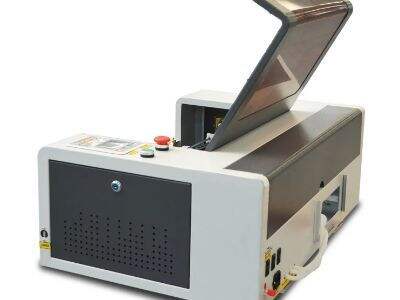
Maintaining Laser Engraving Quality in Bulk Orders And How To Do It
If you’re going to be making a lot of things with your laser engraver, say for business purposes, the quality is consistent. That is, every single one should have the same look and be well made. To make it happen, begin with using identical parameters for the geometry of all jobs. Write down the best settings you have discovered for your materials with your Voiern laser engraver. Use these settings each time you create a new item to make sure they all match
Good quality can also be maintained by using materials of the same kind and thickness. In addition, an alternative material might react differently to the laser - better to stick with what you’ve found works well. Review the material before you begin your production. If not, make another setting and check for differences
And last, take good care of your gear. Regular maintenance is important. Clean the lenses and mirrors, and inspect for any damage. If your laser cutter is good and clean, it will assist in a perfect etch every time. You should also keep track of the quality checks you have made to your products. That means inspecting the very items you create to see that they are up to your standards. If you notice any mistakes, correct them promptly by modifying your settings or amending what you are using. These steps will guarantee quality for items made with your Voiern laser engraver. This is one way you can establish a good reputation to your customers
Table of Contents
- What is the general method to adjust/calibrate a laser cutter
- There are several common calibration problems and troubleshooting tips that can help
- Tweaking the Calibrating Your Settings for Accuracy with a Laser Cutter
- Tools you need to calibrate your Laser Engraver
- Maintaining Laser Engraving Quality in Bulk Orders And How To Do It